
The 7 ChatGPT Prompts Every Executive Should Save (And Why Most Leaders Use AI Wrong)
May 19, 2026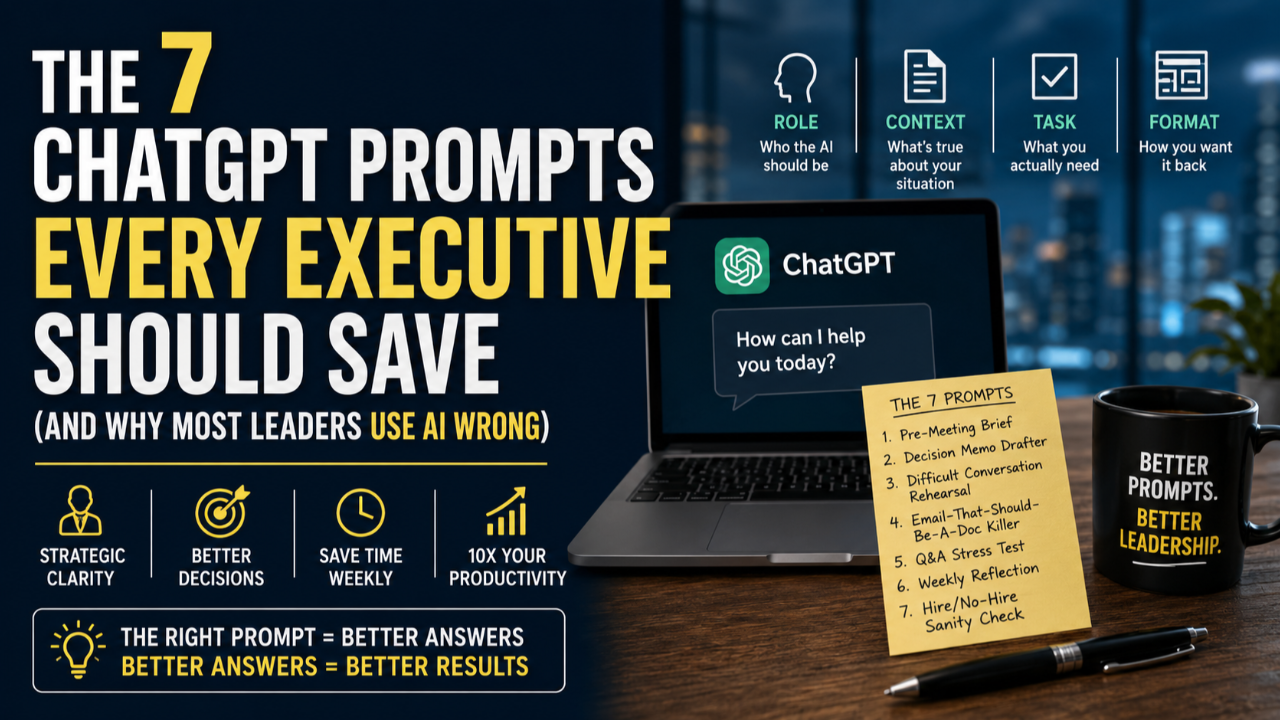
I’ve spent the last two years training senior leaders inside Fortune 100 companies, federal agencies, and YPO chapters on how to actually use AI. The pattern is consistent. Most executives are typing the wrong things into ChatGPT, getting mediocre answers, and concluding that AI isn’t there yet.
AI is absolutely there. The problem isn’t the tool. It’s the prompt.
Most leaders treat ChatGPT like Google with autocomplete. They type one-line questions (“summarize trends in healthcare”) and get one-line non-answers back. Then they shrug and go back to their old workflow.
The leaders getting 10x productivity gains do something different. They treat ChatGPT like a senior consultant who needs to be briefed properly. They give it role, context, format, and constraints. Then they iterate.
Below are seven prompts I’ve watched executives save to a sticky note, paste-and-customize weekly, and quietly hand off to their teams. Each one solves a real, recurring leadership problem. Copy them. Save them. Modify them.
Why prompt structure matters more than prompt creativity
Before the seven prompts, one principle. Every good executive prompt has four parts.
- Role — who you want the AI to be (“You are a chief of staff with 20 years of experience in private equity…”)
- Context — what’s true about your situation (“I run a 50-person fintech startup. We just raised a Series B…”)
- Task — what you actually need (“Draft a board update for the quarter ending Q3…”)
- Format — how you want it back (“In three sections, max 400 words, bullet points where possible…”)
Skip any of those four and you’ll get a generic answer that you’ll spend more time fixing than if you’d written it yourself. Hit all four and ChatGPT becomes the most patient, well-read junior partner you’ve ever had.
With that frame, here are the seven.
1. The Pre-Meeting Brief
Best for: walking into a meeting feeling 90% prepped instead of 30%. Use 10 minutes before any high-stakes conversation.
Prompt:
“You are an executive chief of staff. I have a 30-minute meeting with [name + role + company] in [time]. My goal is [outcome]. Here’s what I know about them: [paste LinkedIn summary or bio]. Generate: (1) three likely questions they’ll ask me, (2) two questions I should ask them to get to my goal faster, (3) one analogy or framework I can reference that will resonate with their background.”
This single prompt has saved me hours of “meeting prep that wasn’t really prep.” The framework + analogy bullet is what separates an okay conversation from a memorable one.
2. The Decision Memo Drafter
Best for: any decision big enough that you’d write it down. The act of structuring forces clarity.
Prompt:
“You are a McKinsey-style strategy consultant. I am facing this decision: [describe in 2-3 sentences]. The options are: [list them]. The constraints are: [list them]. Help me draft a one-page decision memo with: (1) the recommendation, (2) two-sentence reasoning, (3) the strongest counter-argument, (4) what would have to be true for me to change my mind, (5) the smallest first step. Keep it under 400 words.”
The “what would have to be true for me to change my mind” question is the magic. It pre-empts the cognitive dissonance you’ll feel three months in if the decision goes sideways.
3. The Difficult Conversation Rehearsal
Best for: feedback conversations, performance issues, hard “no”s. The kind of talk where wording matters more than content.
Prompt:
“You are an executive coach trained in radical candor and nonviolent communication. I need to have a hard conversation with [role + relationship]. The situation is: [describe]. The outcome I want: [describe]. The risk I’m afraid of: [describe]. Draft an opening line that’s direct but doesn’t put them on the defensive. Then give me three likely emotional responses they might have, and how I should respond to each.”
I’ve used variants of this before every “we’re going to part ways” conversation in the last 18 months. The opening line ChatGPT generates is rarely what I end up using verbatim, but it gives me a reference point that’s better than my first instinct.
4. The Email-That-Should-Be-A-Doc Killer
Best for: when you’re staring at a 600-word email and thinking “this is actually a project brief.”
Prompt:
“You are a senior product manager. Convert the following email into a structured one-pager with these sections: Context (3 sentences), Decision needed (1 sentence), Options (max 3 with one-line pros/cons), Recommendation (2 sentences), Owner & timeline. Pull only what’s in the email and flag any [GAPS] you’d need filled in. Email below: [paste email].”
The “flag any [GAPS]” instruction is the move. It surfaces the questions you should have asked before sending the email in the first place, and gives you the shape of the doc to share back.
5. The Q&A Stress Test
Best for: pitches, board updates, all-hands presentations, anything where someone might push back.
Prompt:
“You are the most skeptical board member I’ve ever encountered. You have 30 years in [industry] and you’ve seen every variation of this pitch fail. Here is my plan: [paste deck text or summary]. Give me the 7 toughest questions you’d ask me — the ones designed to expose hidden assumptions, missing data, or magical thinking. For each, give me what a strong answer would look like.”
This is the prompt that has changed how I prep keynotes. The questions ChatGPT surfaces are sometimes obvious, sometimes brutal, and always ones I’d rather hear in my office than in a boardroom.
6. The Weekly Reflection
Best for: end-of-week. Five minutes. Closes the loop on a busy week and seeds the next one.
Prompt:
“You are an executive coach. Here is what happened in my week: [paste calendar export, or just dictate a 3-minute summary]. Help me reflect on: (1) the highest-leverage thing I did, (2) the lowest-leverage thing I did, (3) one pattern you notice across my week, (4) one specific change for next week. Push back on me if my self-assessment seems too generous or too harsh.”
The pattern recognition is what makes this stick. After a few weeks, ChatGPT will start telling you things like “you keep blocking time for strategic work and then losing it to ad-hoc 1:1s.” That’s data you can act on.
7. The Hire/No-Hire Sanity Check
Best for: after a final-round interview, before you’ve made up your mind. Catches anchoring bias.
Prompt:
“You are a head of talent for a high-growth company. I just interviewed [name] for [role]. Here are my interview notes: [paste]. Here is the role description: [paste]. Without telling me what to do, surface: (1) the strongest evidence FOR hiring them, (2) the strongest evidence AGAINST, (3) the question I should have asked but didn’t, (4) two reference-check questions specifically tailored to my biggest concern.”
Notice the “without telling me what to do.” That instruction matters. If you ask ChatGPT to make the call, it’ll mostly tell you what you already think. If you ask it to surface evidence, it’ll occasionally make you reconsider.
Save these. Then go further.
These seven cover roughly 80% of what most executives use AI for in a given month. The remaining 20% — board prep, investor updates, scenario planning, post-mortems, customer call analysis — are all variations on the same four-part structure (role, context, task, format).
If you want a longer set, plus the prompts I use for board reporting, customer call review, and quarterly planning, the AI Productivity Roadmap is free to download. It’s the workflow we use with executives in our coaching and workshop programs.
Get the full AI Productivity Roadmap
The free download includes the 7 prompts above plus 14 more, organized by use case (strategy, ops, hiring, communication). Plus the prompt-debugging checklist I use when an AI answer comes back generic. Grab it at roadmaptofreedom.com/ai-roadmap.
Chris McIntyre is a Certified Speaking Professional, MIT AI Strategy certified, and the author of The Roadmap to Freedom. He has trained over 300,000 professionals worldwide on AI productivity, leadership, and accountability.